
Note: To view your API key, you must be a super admin.
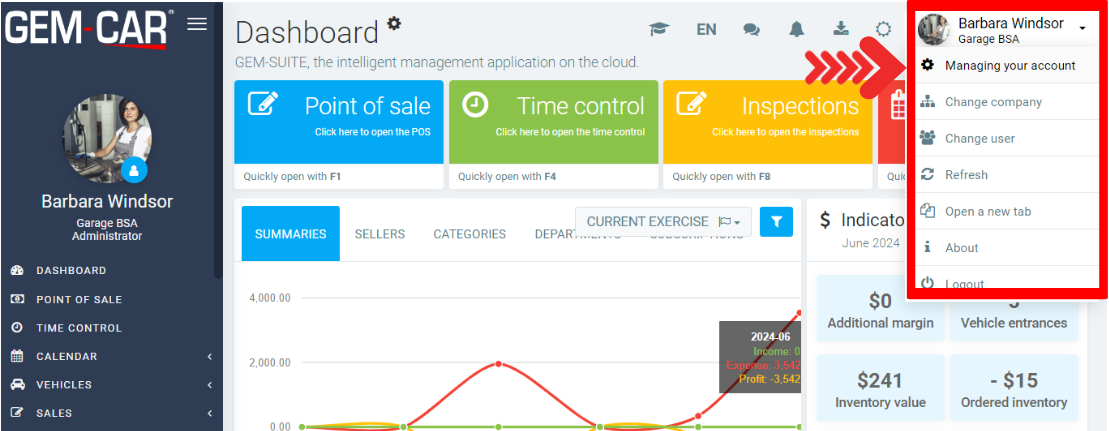
After configuring the user as a super admin, follow the steps described in this FAQ to view your API key. In the top right corner, click on the arrow next to the company name and click on Managing Your Account.
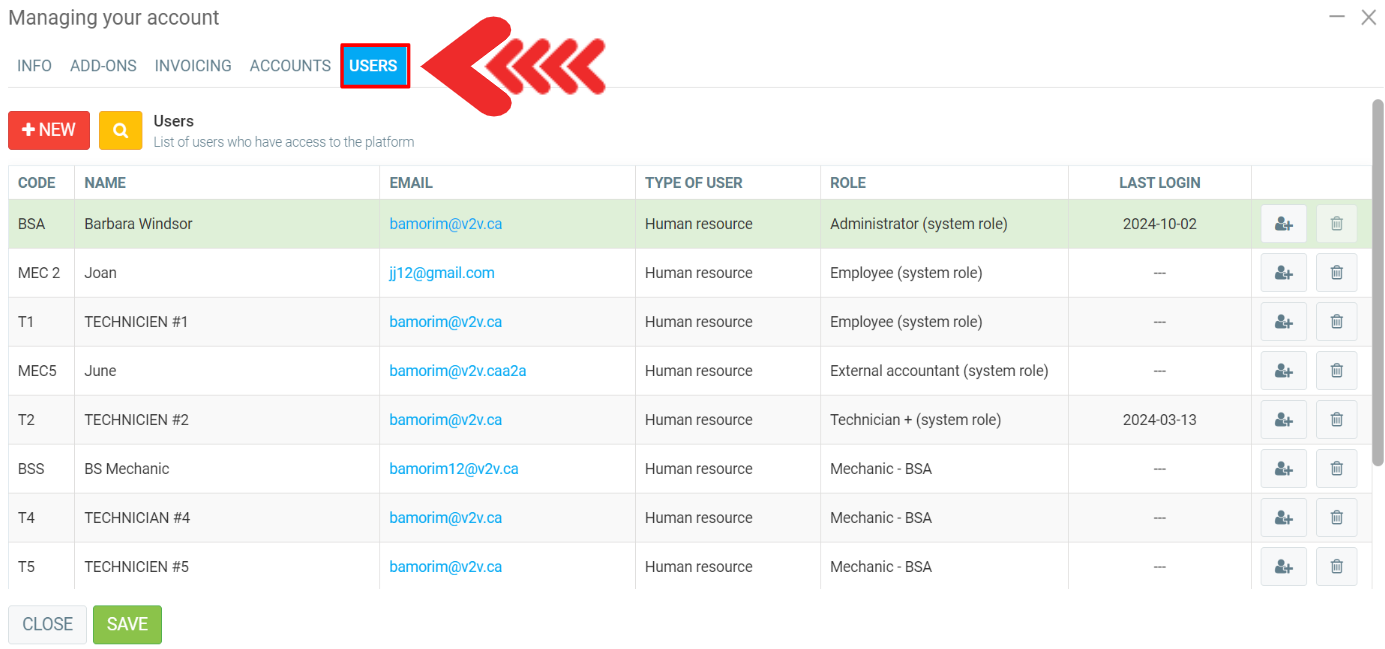
Under Users, you will see a table with the following information:
- Code
- Name
- Type of user
- Role
- Last login
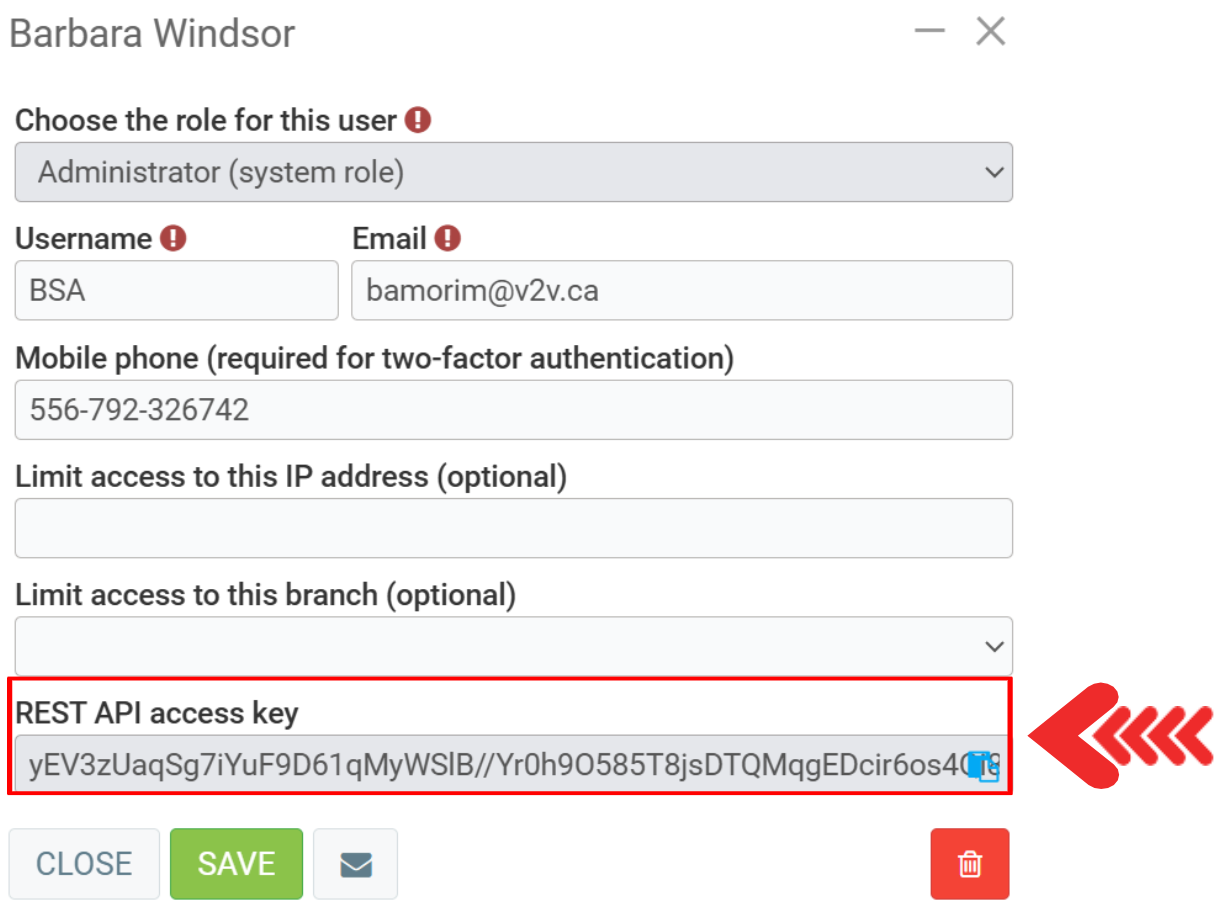
Click on the user. There you'll see the token on REST API access key.
Comments
Please sign in to leave a comment.