
To access the various sales configuration options, click on Sales > Configurations > Configurations.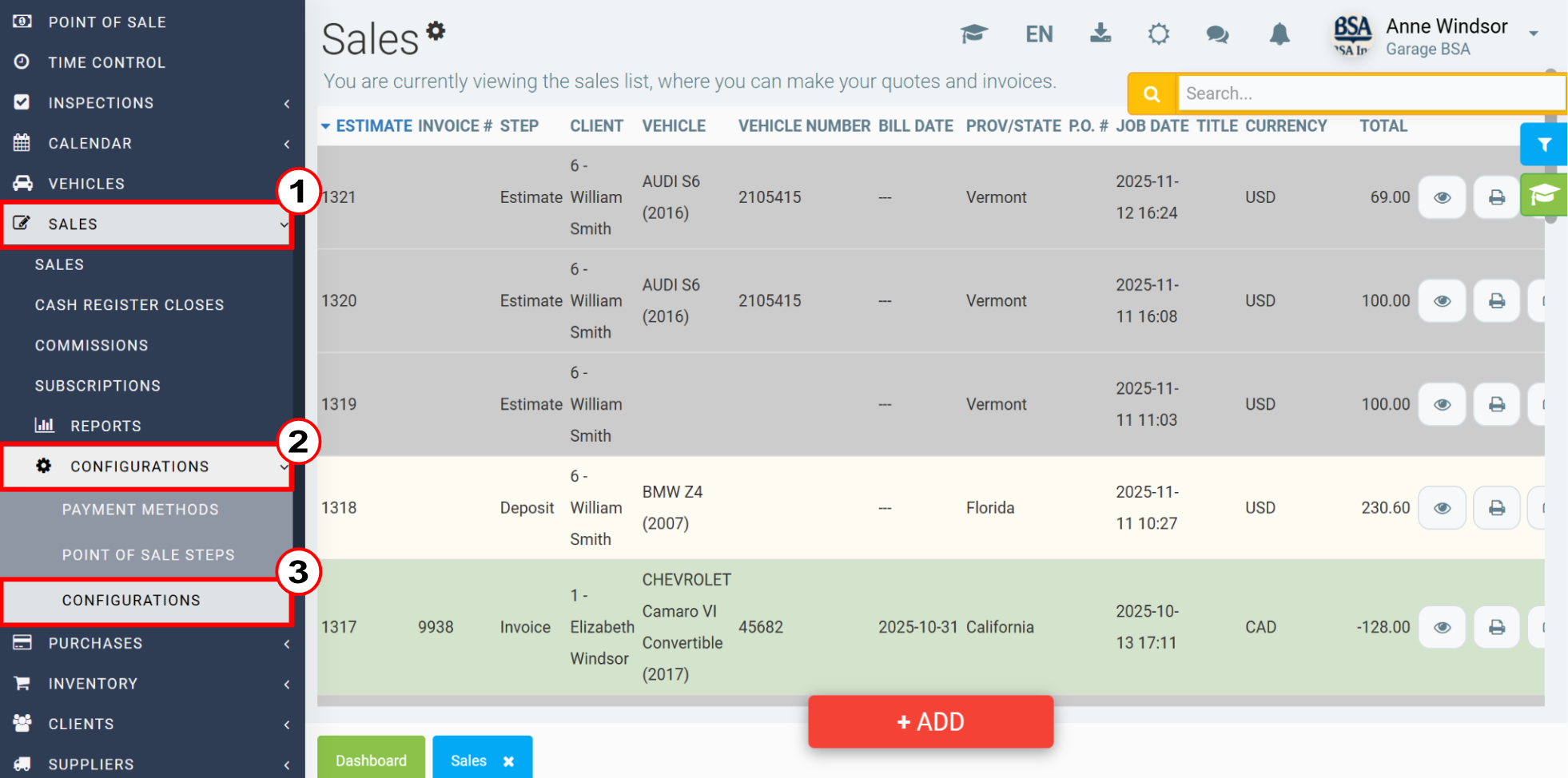
In the Sales tab, you can choose the accounts and categories for the following fields:
- Cash payment account
- Account used for tips
- Default category in sales
- Default Customer in Sales (Counter)
- Default rate for jobs
- Adjustment for external appointments
- Default product for reminders
- Product used for deductibles
- Internal customers
- Product used for deposits and progressive billing
- Account used for shipping costs
- Round to these decimals for cash payments
In addition, you can configure a terminal to take payments from your customers, the product used for shop supplies and the margins.
In the Sales tab, you will have more than 50 options to check or uncheck, depending on your company's needs. Among the options, we have the following:
- In sales, calculate taxes according to the branch used, do not rely on the location of the customer
- Show hourly rate on invoices
- Hide tax codes on sale documents
- Automatically print invoices
- Automatically print submissions
- Automatically print workorders
- Directly send invoices and payments from POS to accounting (remove the concept of closures)
- Print a second copy of the invoice
In the Printer tab, you can check or uncheck the “Enable printing of invoices in coupon format” option.
To save all changes made to your sales settings, always click Save.
Comments
Please sign in to leave a comment.