
The Sales per Day report allows you to quickly and clearly analyze all daily sales of parts and services.
It also shows the associated costs and profit margins generated.
This tool is essential for tracking daily performance and supporting your business decisions.
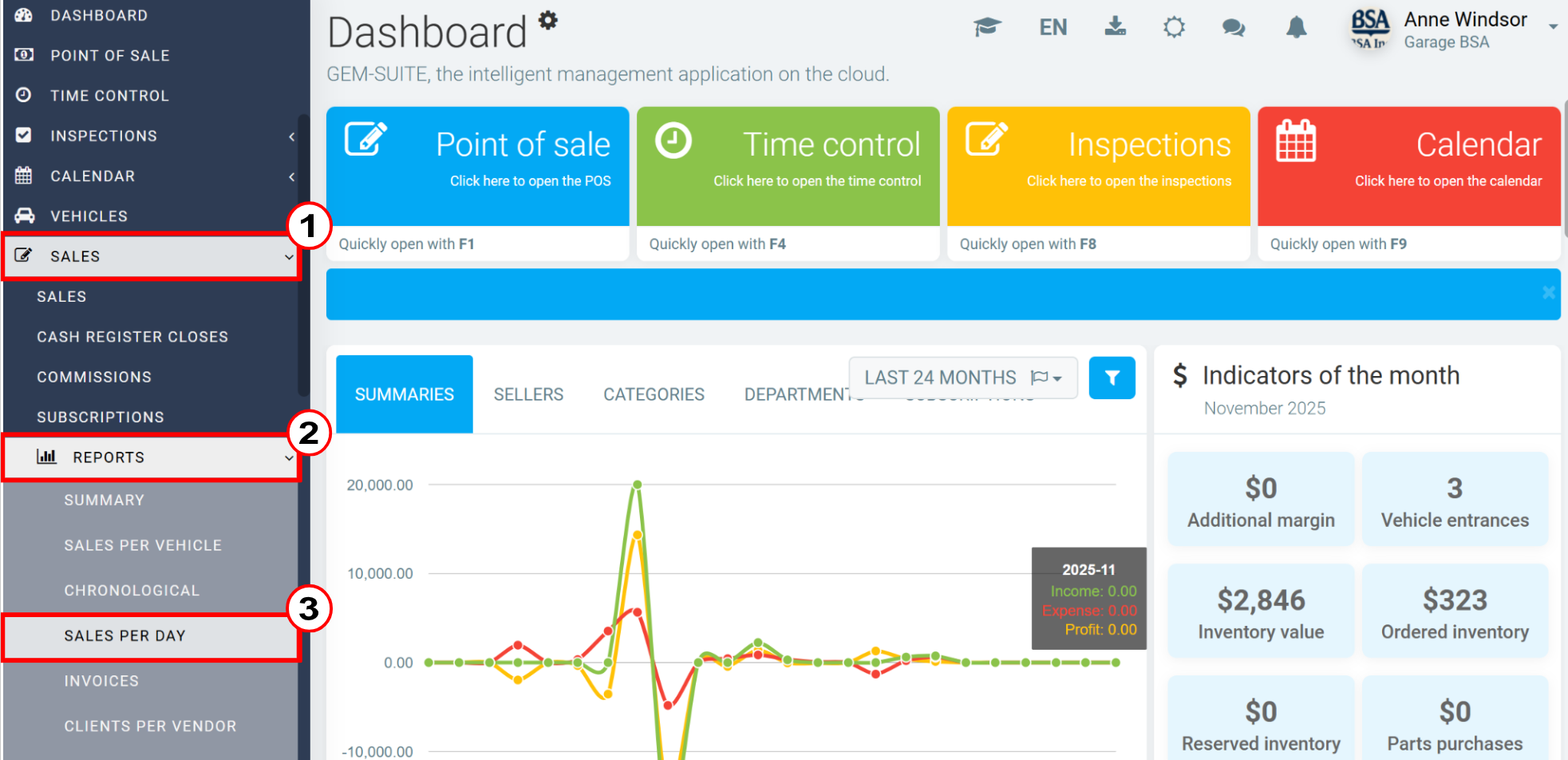
To generate the report, click Sales > Reports > Sales per Day.
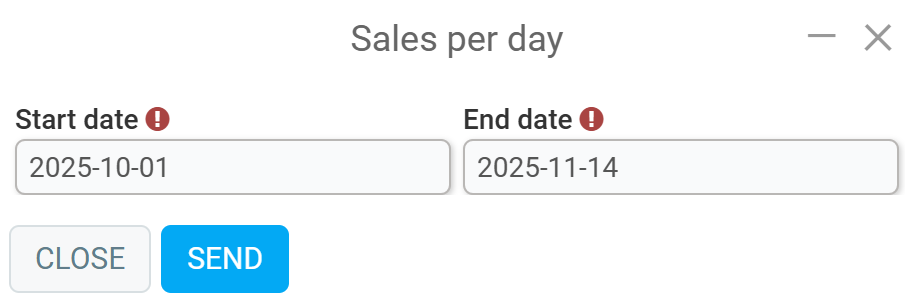
Enter the following information on the next page: start date and end date.
Click Send.
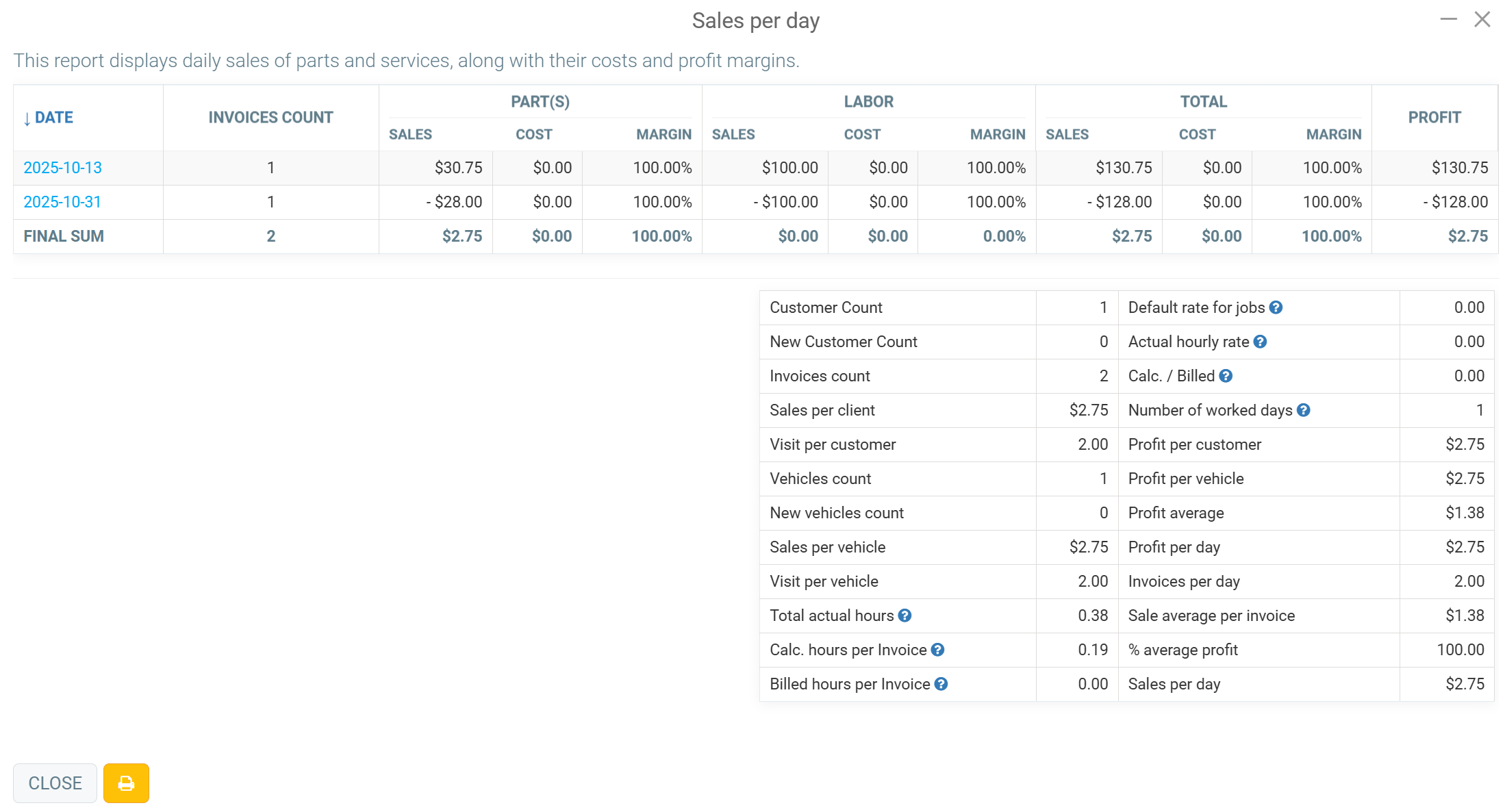
The Sales per Day report displays daily sales of parts and services, along with their costs and profit margins.
Next to the Close button, you can click the yellow button with the Printer icon to print this report.
Comments
Please sign in to leave a comment.