
This report allows you to view all sales invoices issued in a given period. With it, you can analyze amounts, dates, customers, and other important details for financial control.
Below, you will find the steps necessary to generate the report quickly and accurately.
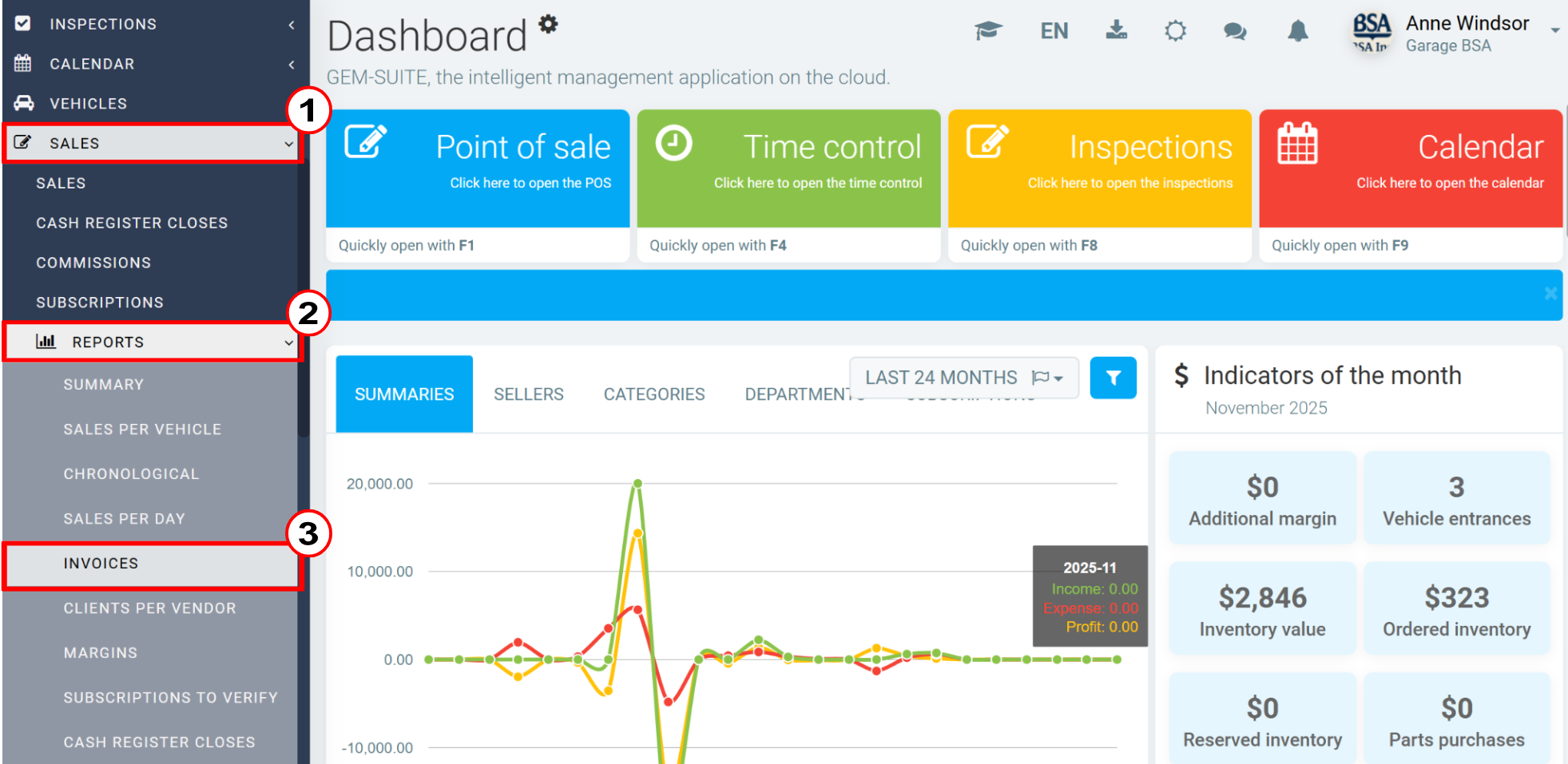
To generate the report, click on Sales > Reports > Invoices.
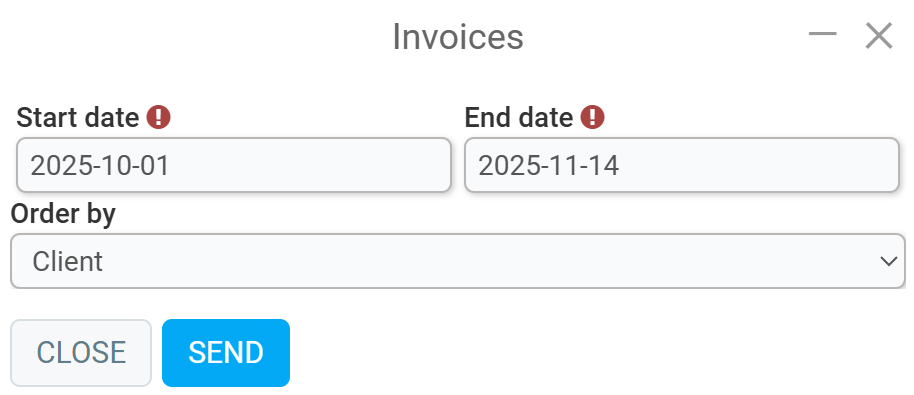
Then enter the following data:
- Start date
- End date (client, invoice number, or date)
- Order by
Click Send.
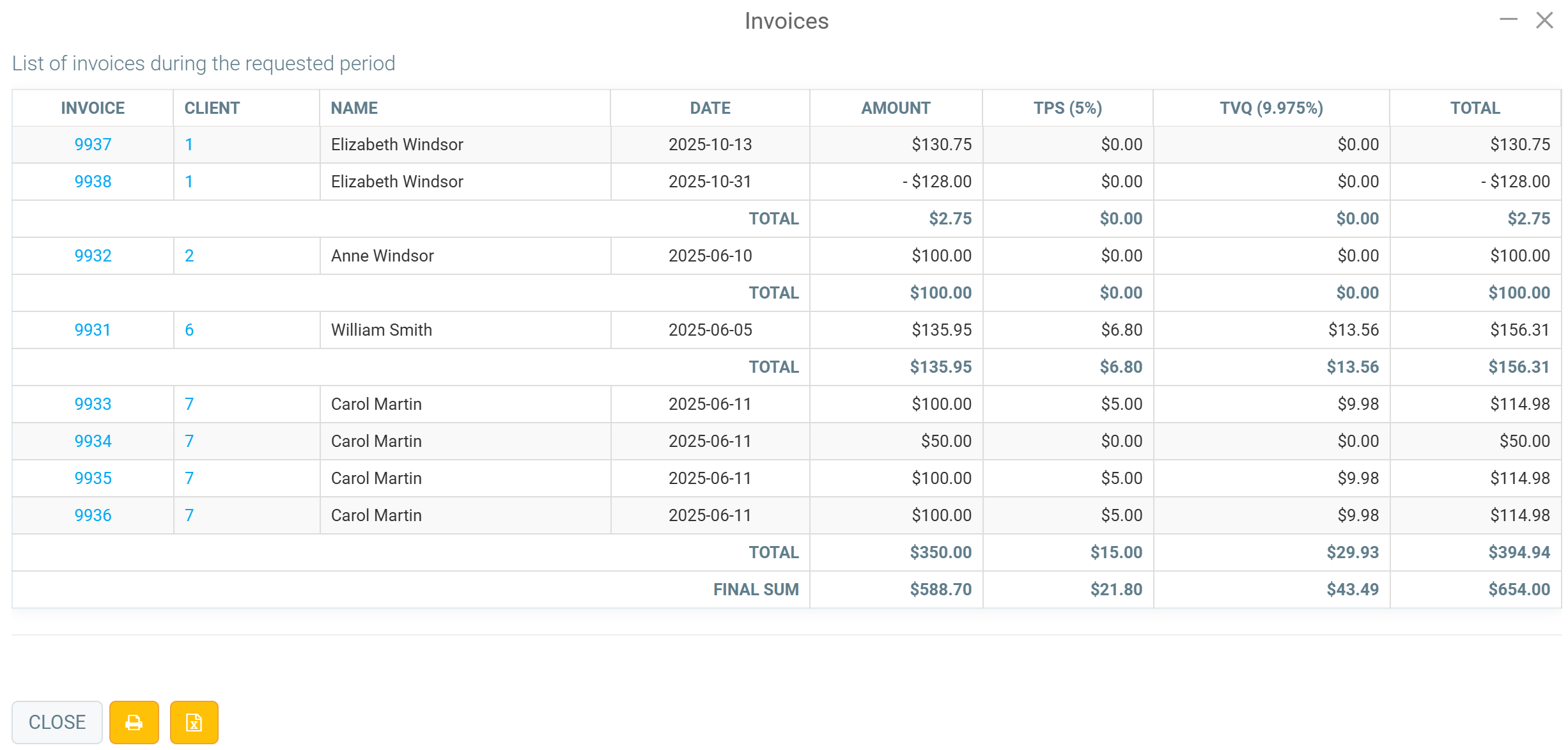
The report will show the following information: invoice, client, name, date, amount, taxes, and total.
Next to the Close button, you can print by clicking on the Printer icon or you can Export to Excel.
Comments
Please sign in to leave a comment.