
This report allows you to view all sales signatures that need to be verified, ensuring greater control and accuracy of information. With it, you can review important details before validating or processing each signature. Below, you will find the steps to generate the report quickly and efficiently.
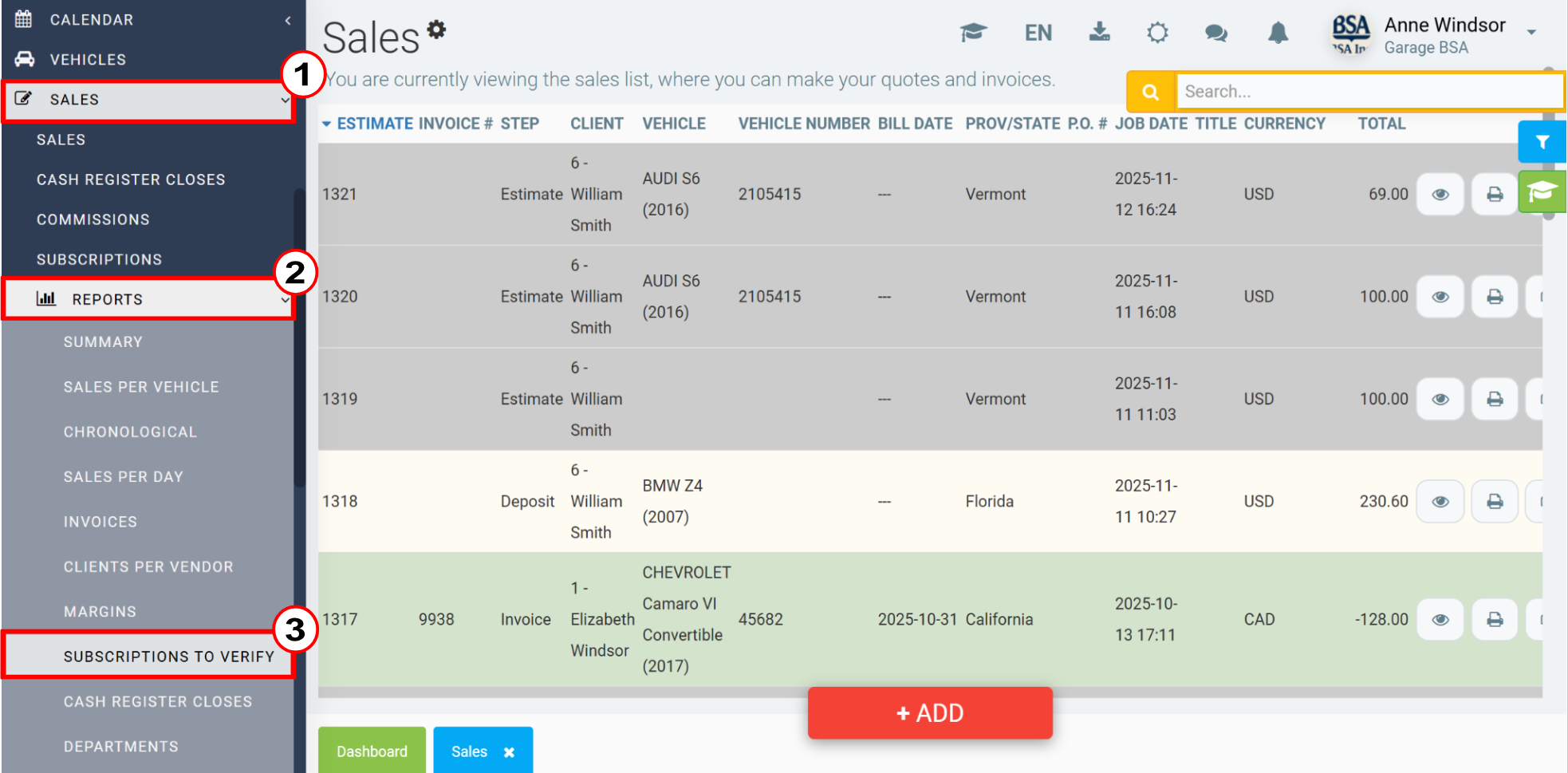
To generate the report, click on Sales > Reports > Subscriptions to Verify.
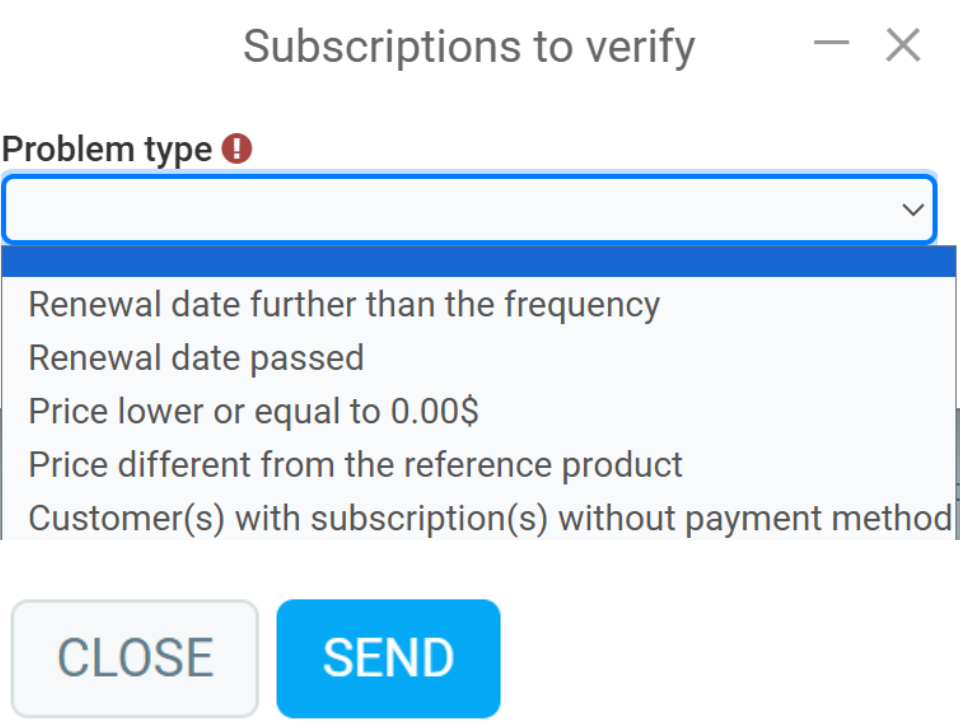
In the next window, you will see a field where you can choose a report type. Among the options, you will find:
- Renewal date further than the frequency
- Renewal date passed
- Price lower or equal to 0.00 $
- Price different from the reference product
- Customer(s) with subscription(s) without payment method
Select an option and click Send.
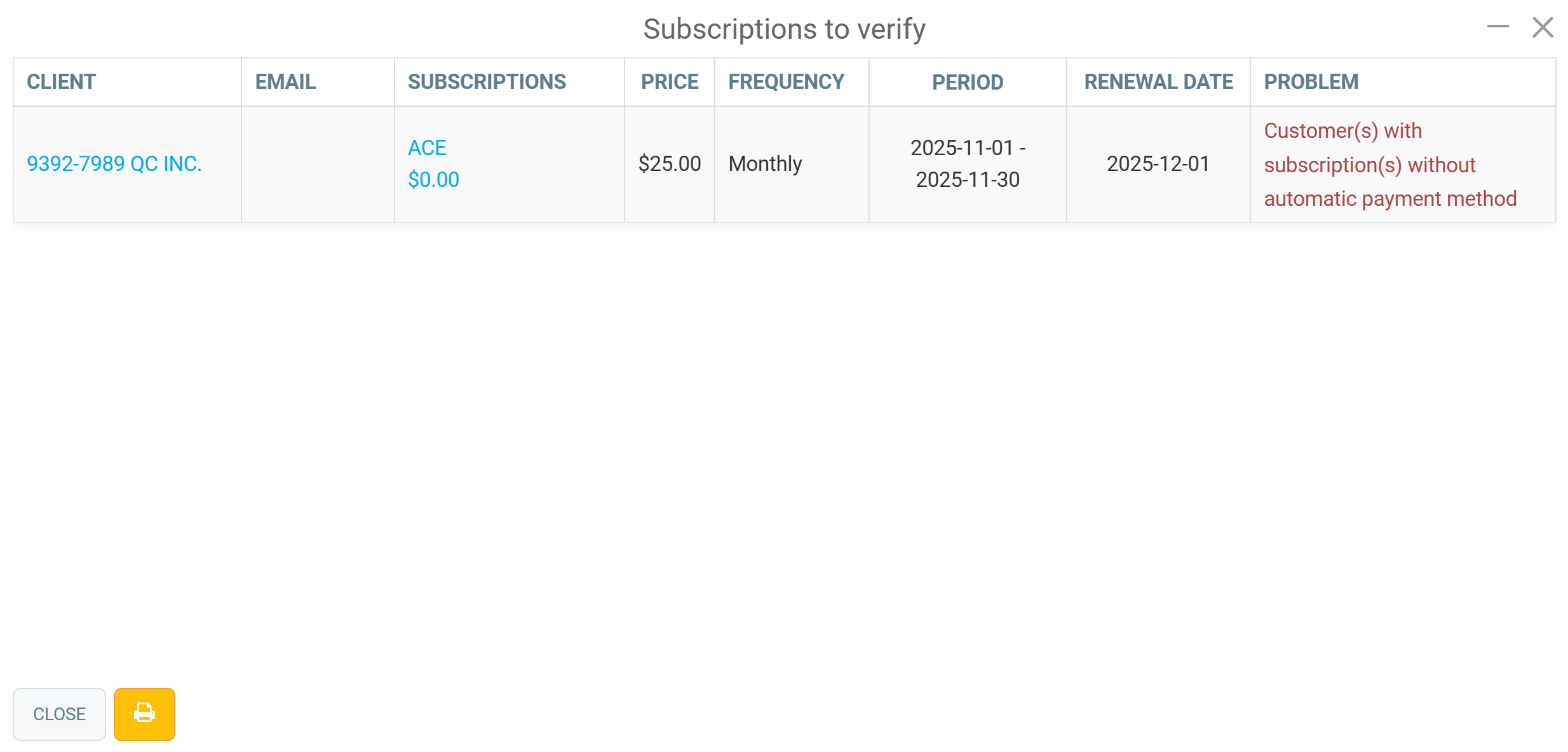
The report will show the following information: client, email, subscriptions, price, frequency, period, renewal date, problem. Next to the Close button, you can print by clicking on the Printer icon.
Comments
Please sign in to leave a comment.