
This feature allows you to create a category of products or services that should not be subject to taxes.
It is particularly useful for managing tax exemptions or special items.
Below are the steps required to correctly configure a tax-free category in the system.
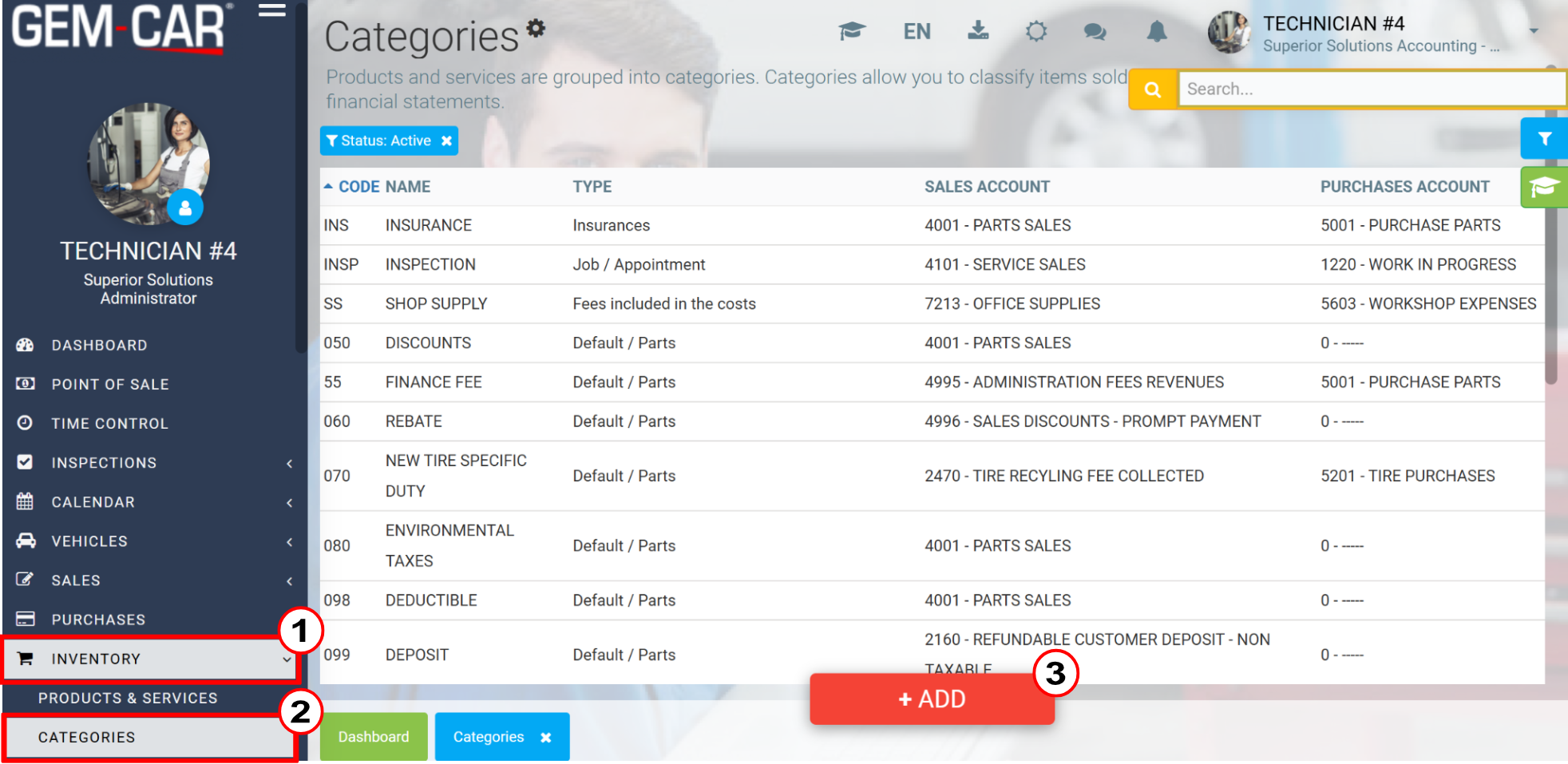
Click Inventory > Categories > +Add
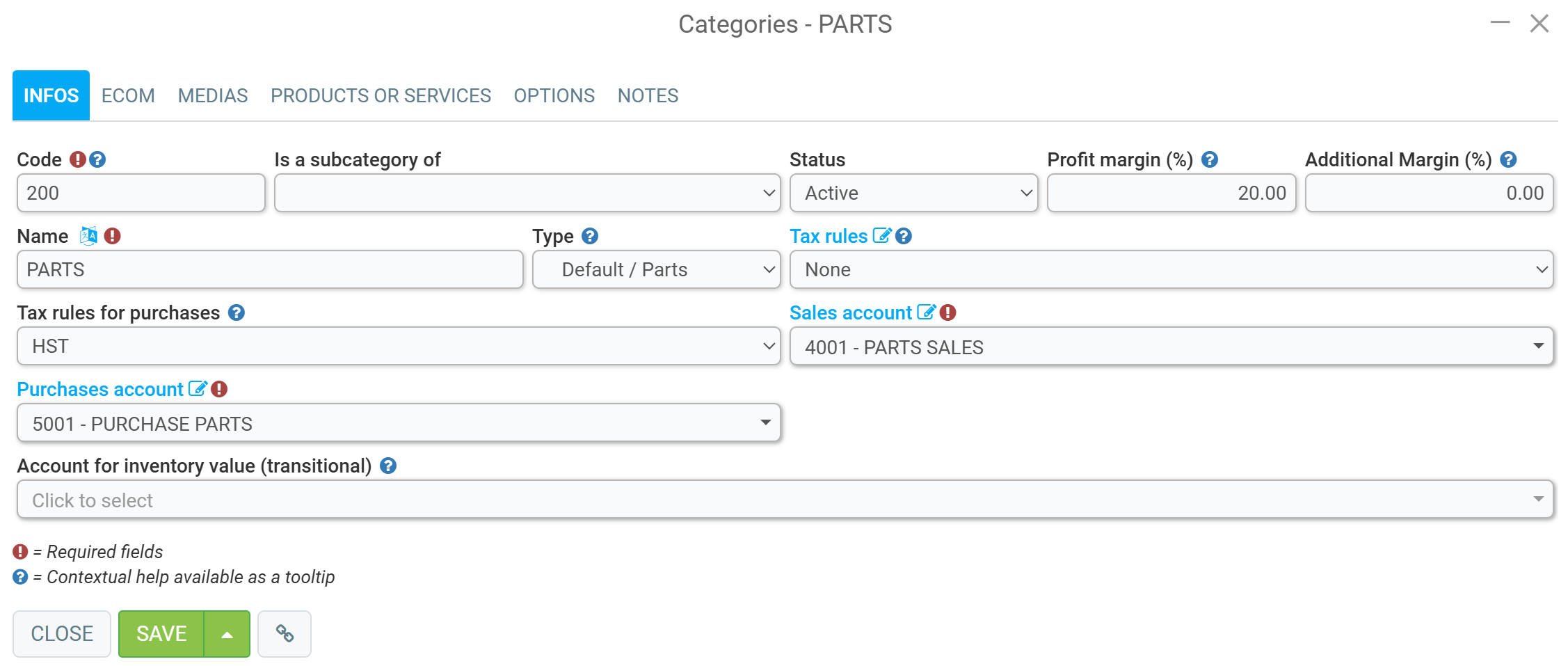
Then, in the Info tab, enter the following data:
Code
Name
Type
Tax rules (none)
Tax rules for purchases
Sales account
Purchases account
Click Save.
This way, whenever you add a product belonging to this category to your point of sale, it will not be taxed.
Comments
Please sign in to leave a comment.